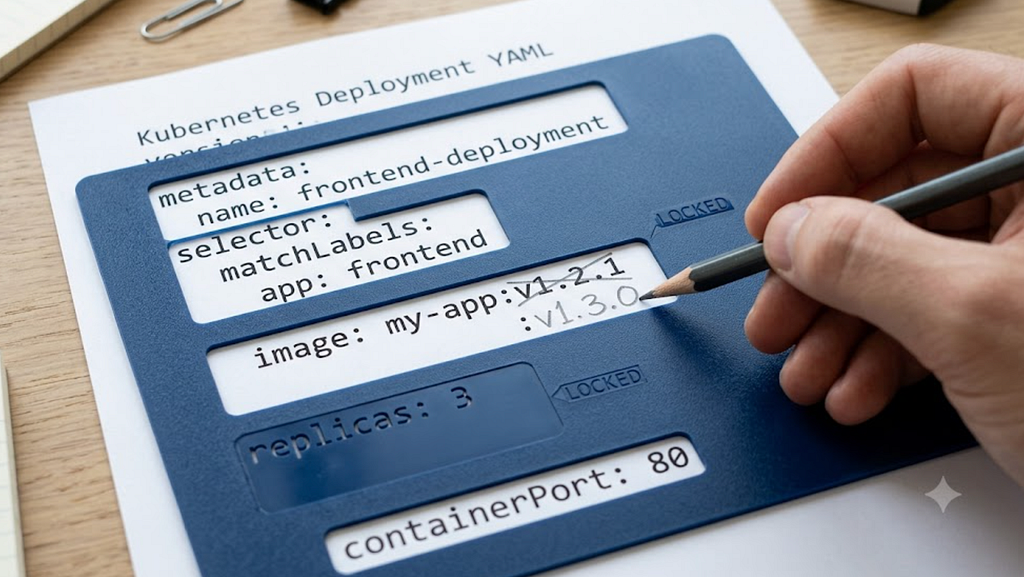
It isn’t shown by default by kubectl get -o yaml or kubectl edit any longer, but you may have seen something like the following if you have been using Kubernetes for a while:
managedFields:
- apiVersion: apps/v1
fieldsType: FieldsV1
fieldsV1:
f:metadata:
f:annotations:
f:config.k8s.io/owning-inventory: {}
f:spec:
f:minReadySeconds: {}
f:replicas: {}
f:selector: {}
f:strategy:
f:rollingUpdate: {}
f:type: {}
f:template:
f:metadata:
f:labels:
f:app: {}
f:spec:
f:containers:
k:{"name":"worker"}:
.: {}
...
manager: confighub-bridge-worker
operation: Apply
Managed fields were added to Kubernetes as part of the server-side apply design, so to understand it we should start with kubectl apply.
As I explained in my first blog post (search for “topic 8”), kubectl apply reconciles the desired state from files with resources in the cluster. It does this without a separate state file of the kind that Terraform maintains. On a per-resource basis, the way this worked is that kubectl recorded the “last applied configuration” in an annotation like this:
metadata:
annotations:
config.k8s.io/owning-inventory: 540bd711-7ae4-42c4-8f80-a36c9a6e52ba-confighub-worker
kubectl.kubernetes.io/last-applied-configuration: |
{"apiVersion":"apps/v1","kind":"Deployment","metadata":{"name":"worker","namespace":"confighub-worker"},"spec":{"minReadySeconds":10,"replicas":1,"selector":{"matchLabels":{"app":"worker"}},"strategy":{"rollingUpdate":null,"type":"Recreate"},"template":{"metadata":{"labels":{"app":"worker"}},"spec":{"containers":[{"env":[{"name":"CONFIGHUB_URL","value":"https://hub.confighub.com"},{"name":"NAMESPACE","valueFrom":{"fieldRef":{"fieldPath":"metadata.namespace"}}}],"envFrom":[{"secretRef":{"name":"confighub-worker-secret"}}],"image":"ghcr.io/confighubai/confighub-worker:d90ab40ddbab39b8d446a2f7c6b332cd52f644c9","imagePullPolicy":"Always","name":"worker","securityContext":{"allowPrivilegeEscalation":false,"capabilities":{"drop":["ALL"]},"privileged":false,"readOnlyRootFilesystem":true},"volumeMounts":[{"mountPath":"/tmp","name":"tmp"}]}],"securityContext":{"fsGroup":2000,"runAsGroup":3000,"runAsNonRoot":true,"runAsUser":1000,"seccompProfile":{"type":"RuntimeDefault"}},"serviceAccountName":"confighub-worker","terminationGracePeriodSeconds":60,"volumes":[{"emptyDir":{},"name":"tmp"}]}}}}
This enabled kubectl to diff the new desired state from its local input with the previous desired state from the annotation on the resource in the cluster and to apply that as a patch to the cluster — this is also called a “3-way diff” or “3-way merge”.
The original purpose of performing a diff and patch rather than just overwriting the resource in the cluster was to preserve desired-state values set by automated mechanisms, especially asynchronous controllers (topic 5 in the history blog post), to avoid flapping back and forth. The canonical example is horizontal (replicas) and vertical (cpu and memory) autoscalers. But I didn’t want to constrain the mechanism to just those two examples.
The diff-and-patch mechanism was implemented in kubectl, which, of course, was written in Go. This made it difficult to embed in other languages, like Python, Java, and Javascript, and exec’ing kubectl was not an option for web UIs. Furthermore, the implementation had enough dependencies that even other Go programs, such as Terraform, didn’t integrate the apply implementation. And CRD support required the OpenAPI spec, which was typically large, from the apiserver. There was also no dry-run support.
To address these issues, we decided to develop a server-side implementation. A comprehensive use-case analysis was done as part of the design.
The original proposal included recording the field values, similar to the last-applied-configuration annotation, but that was problematic for some cases (e.g., secrets, large values), and we realized it was unnecessary due to the next development, which made the apply operation not a diff and patch, but a predicated patch.
To prevent overwriting or removing values set by automated systems, the “field manager” concept was developed, as a generalization of “apply” vs. “other operation”, where “other operation” includes:
-
kubectl commands
-
asynchronous controllers, including those updating status fields
-
mutating admission control
-
the Kubernetes default value pass
The field manager effectively “owns” the field and can freely make changes. Other clients (with other field-manager values) attempting to change the field would fail due to a conflict.
That introduced a new failure mode for Kubernetes clients, but only those using the new feature. Update requests could fail entirely or partially. For true conflicts, such as a GitOps controller fighting with another controller, this was considered a feature. For one-off operational changes using kubectl, it was a potential source of problems, as kubectl has its own field-manager value.
As a consequence, some GitOps controllers like ArgoCD, grab ownership of fields they apply, defeating the conflict mechanism. Flux selectively takes ownership. Different apply implementations implement different policies, so it can be the source of surprising behavior. Helm v4 apparently defaults to not taking ownership (known as force conflicts).
While the field manager can be useful for debugging, similar to the User-Agent HTTP header field, its value is an arbitrary string, which makes it harder to use to decide what to do in the case of a pre-existing field manager. That’s why Flux hardcodes a few well known values, such as “kubectl”. A higher-level category, such as the categories I enumerated above, would be more useful.
I didn’t find a tool that did this, so I created one (github), k8s-mf. It can read managed fields from a file (use kubectl get -o yaml --show-managed-fields) or from the cluster. It can also change managed fields.
% k8s-mf --help
k8s-mf inspects and repairs Kubernetes server-side-apply (SSA) managed fields.

Managed fields record which field manager owns each field of a resource. Leftover
or competing managers are the usual cause of apply surprises — fields silently
retained, deletions blocked, or apply conflicts — especially after a kubectl
"break glass" edit or a transition between tools (kubectl apply, ArgoCD, Flux, Sveltos).

The kubeconfig is loaded with kubectl precedence: --kubeconfig flag, then the
KUBECONFIG environment variable, then $HOME/.kube/config.

Usage:
k8s-mf [command]

Available Commands:
categories Show which fields each category of field manager owns
cleanup Show the result of refresh/import cleanup (ExtraCleanupObjects)
completion Generate the autocompletion script for the specified shell
conflicts Predict which fields an apply would conflict over, without changing anything
dry-run-apply Server-side dry-run an apply as a given field manager
help Help about any command
takeover Remove other appliers' field managers so one applier owns the resource
values Show the values of fields owned by appliers

Flags:
--context string Kubernetes context to use
-h, --help help for k8s-mf
--kubeconfig string Path to the kubeconfig file (overrides KUBECONFIG and the default)
-n, --namespace string Namespace of the resource (ignored for cluster-scoped resources) (default "default")
Using the earlier example, this is what the categories look like (some fields elided for length):
% k8s-mf categories -f /tmp/worker-mf.yaml
Resource: Deployment/confighub-worker/worker

APPLIER — 2 manager(s): confighub-bridge-worker (ConfigHub), kubectl-rollout (kubectl)
44 field(s):
.metadata.annotations.config.k8s.io/owning-inventory
.spec.minReadySeconds
.spec.replicas
.spec.selector
.spec.strategy.rollingUpdate
.spec.strategy.type
.spec.template.metadata.annotations.kubectl.kubernetes.io/restartedAt
.spec.template.metadata.labels.app
.spec.template.spec.containers[name="worker"].envFrom
.spec.template.spec.containers[name="worker"].env[name="CONFIGHUB_URL"].name
...

ASYNCCONTROLLER — 1 manager(s): kube-controller-manager (Kubernetes)
18 field(s):
.metadata.annotations.deployment.kubernetes.io/revision
.status.availableReplicas
.status.conditions[type="Available"].lastTransitionTime
...

DEFAULT FIELDS (present on the object but owned by no manager — API-server defaults):
.metadata.annotations.kubectl.kubernetes.io/last-applied-configuration
.spec.progressDeadlineSeconds
.spec.revisionHistoryLimit
...
The categories are determined by a fairly long (dozens of entries) hardcoded list:
var exactManagers = map[string]managerInfo{
// --- Appliers (whole-resource owners) ---
"argocd-controller": {CategoryApplier, "ArgoCD"}, // ArgoCD default SSA manager (ArgoCDSSAManager)
"argocd-application-controller": {CategoryApplier, "ArgoCD"}, // ArgoCD application controller (seen on some resources)
"helm": {CategoryApplier, "Helm"},
"helm-controller": {CategoryApplier, "Flux"}, // Flux HelmRelease
"kustomize-controller": {CategoryApplier, "Flux"}, // Flux Kustomization
"flux": {CategoryApplier, "Flux"},
...
"endpoint-controller": {CategoryAsyncController, "Kubernetes"},
"endpointslice-controller": {CategoryAsyncController, "Kubernetes"},
"service-controller": {CategoryAsyncController, "Kubernetes"},
"deployment-controller": {CategoryAsyncController, "Kubernetes"},
...
"kube-controller-manager": {CategoryAsyncController, "Kubernetes"},
}
You can also opt to see the values of a selected category, defaulting to Applier, which includes any kubectl operation — “Applier” is an approximation of general user intent:
% k8s-mf values -f /tmp/worker-mf.yaml
apiVersion: apps/v1
kind: Deployment
metadata:
annotations:
config.k8s.io/owning-inventory: 540bd711-7ae4-42c4-8f80-a36c9a6e52ba-confighub-worker
name: worker
namespace: confighub-worker
spec:
minReadySeconds: 10
replicas: 1
...
There is also a conflicts command to report field manager conflicts, a dry-run-apply command to invoke server-side apply with a specified field manager so you can see what it would do, and a takeover command to remove a specified field manager. The commands that communicate with a cluster have flags for that similar to kubectl ( — context, — kubeconfig, — namespace).
Give it a try and let me know what you think.
ConfigHub has a mechanism for tracking the provenance of every field that was inspired by managed fields, but records a lot more information and more semantically meaningful information, for use to decide how to merge configuration changes. An example of where this is used is to merge changes from the upgrade of an installer package without clobbering post-install changes made in ConfigHub. I’m tweaking how this mechanism works and this post is long already, so I’ll write another post about that.
Hopefully that gives you a sense of why managed fields were added, what their purpose is, and how they facilitate the merging of configuration from multiple sources. The ability to merge configuration intelligently is a configuration management power tool.
Have you seen managed fields in YAML returned by the apiserver and wondered what they were for? Have you been surprised by a Kubernetes server-side apply operation not changing all of the fields you intended to change? If so, how did you debug it? Have you had trouble figuring out how to transfer ownership to a horizontal or vertical autoscaler? Did you wish that apply just overwrote all of the fields instead?
Feel free to email us at hello@confighub.com, or send me a message on LinkedIn, X/Twitter, or Bluesky.
You are also welcome to try out ConfigHub, which is now in preview.
If you found this interesting, you may be interested in other posts in my Kubernetes series.